30L Industrial Vacuum
This guide provides step-by-step instructions for assembling, operating, and maintaining your MAXBLAST 30L Industrial Vacuum.
30L Industrial Vacuum
This guide provides step-by-step instructions for assembling, operating, and maintaining your MAXBLAST 30L Industrial Vacuum.
Product Information
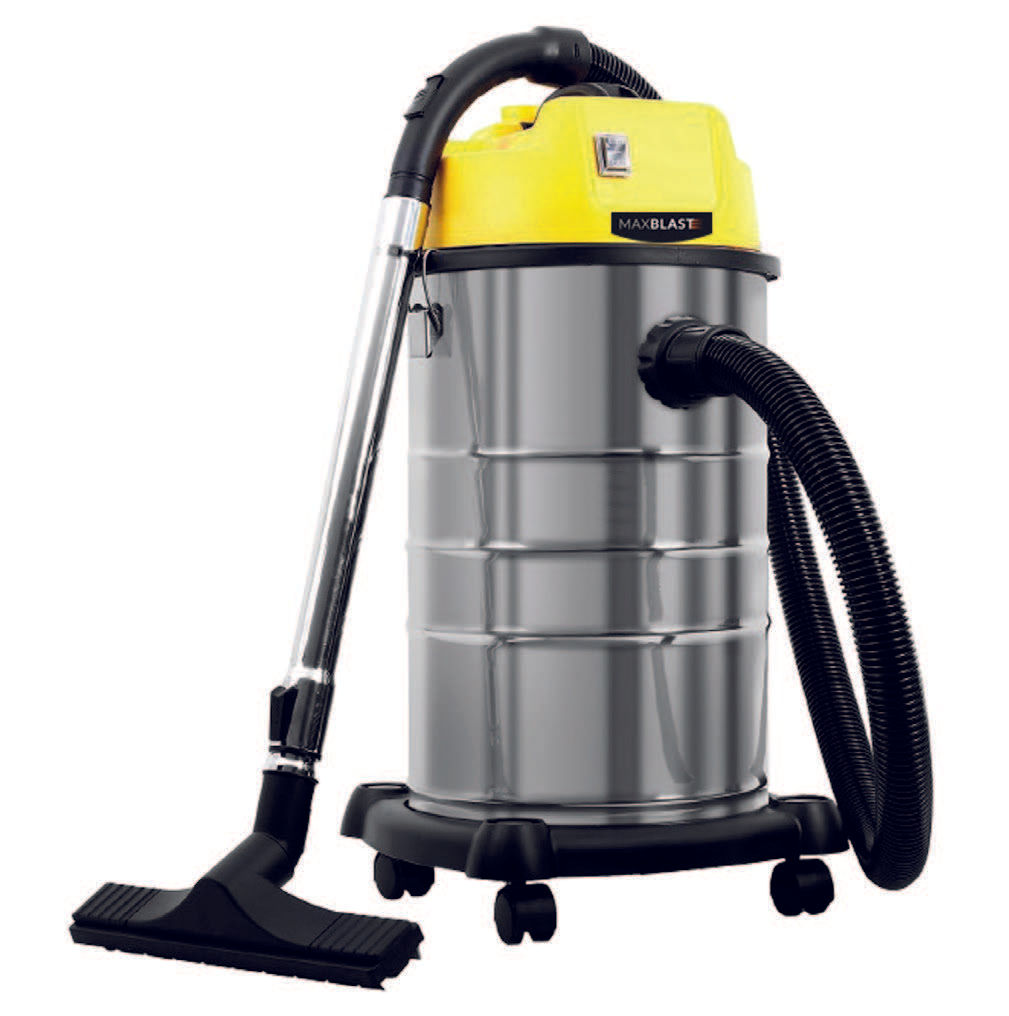
The MAXBLAST 30L Industrial Vacuum is built for demanding cleaning tasks in warehouses, workshops, and commercial spaces. Powered by a 1400W motor, it efficiently handles both wet and dry materials.
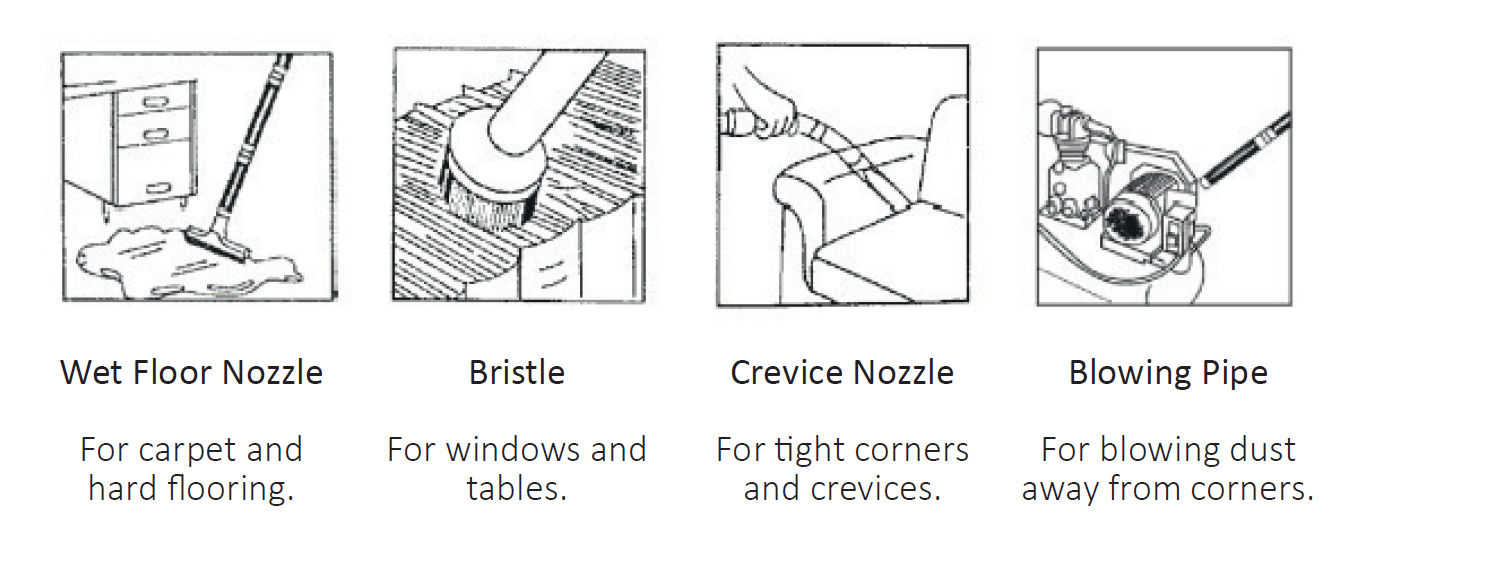
It comes with four attachments, including two floor brushes, a bristle nozzle, and a crevice tool, making it suitable for a wide range of surfaces. The dual filtration system ensures reliable performance and cleaner air output.
A durable stainless steel drum, 30-litre capacity, and smooth castor wheels make it easy to use, empty, and manoeuvre—ideal for keeping large areas clean with minimal effort.
| SKU | 10681 |
|---|---|
| Dimensions | 36 x 35.7 x 66 cm |
| Weight | 9Kg |
| Capacity | 30L |
| Voltage | 230 / 50 Hz |
| Power | 1400 W |
| Amperage | 10 A |
| Noise Level | 80 dB |
| Filter | Cloth and HEPA Filter |
Safety Information
Product Features
1. Vacuum Attachment
2. Pedestal
3. Stainless Steel Drum
4. Vacuum Hose
5. Handle
6. Power Switch
7. Drain Hose
8. Wheel
GPSR Information
UK GPSR Information
Monster House 19-23 Alan Farnaby Way
Industrial Estate Sheriff Hutton
York YO60 6PG
England
+441347878880
Monster House 19-23 Alan Farnaby Way
Industrial Estate Sheriff Hutton
York YO60 6PG
England
+441347878880
EU GPSR Information
Van Heemskerckweg 28A & B
-
Venlo 5928LL
Netherlands
+441347878880
Van Heemskerckweg 28A & B
-
Venlo 5928LL
Netherlands
+441347878880
Included Parts
Monster Manual
Insert the hose connector into the air inlet mouth. Make sure the connector
is securely fastened.
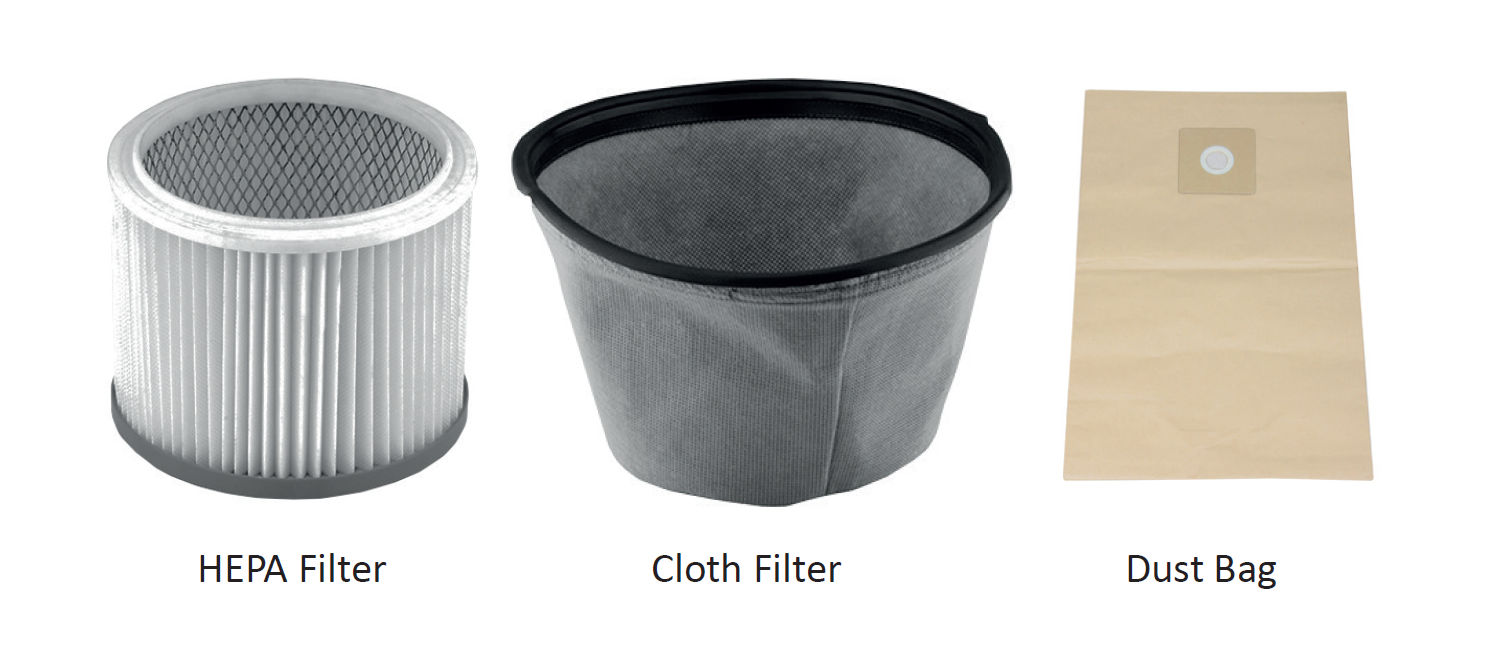
Check the dual filter is in place for dry vacuuming. If you are wet vacuuming,
remove everything from the drum. Place the power cord right at the back of
the drum when in use. If you wish, before dry vacuuming, you can add the
dust bag.
Attach desired vacuum nozzle.
Switch on at mains, and press ‘On’ button to power up.
If you have noticed the suction has decreased, the drum is full. To empty:
1. First you need to switch off at the power supply.
2. Unfasten the locking knob and lift off the top cover.
3. Take off the filter bag and clean the dust away from the drum.
4. When empty, replace the clean filter bag and lock the top cover back
into place.
The Cloth Filter and HEPA Filter should be washed with warm water. If
required, you can use a soft cloth to wipe.
Remove the filter before cleaning and allow to dry before re-installing.
Note: The Dust Bag should not be washed, please ensure you are washing
the Dual Filter, not the Dust Bag.